 Fundamentals Hub
{
  "cik": 320193,
  "entityName": "Apple Inc.",
  "facts": {
    "dei": {
      "EntityCommonStockSharesOutstanding": { "units": { "shares": [ ... ] } }
    },
    "us-gaap": {
      "Revenues": { "label": "...", "units": { "USD": [ ... ] } },
      "RevenueFromContractWithCustomerExcludingAssessedTax": { "units": { "USD": [ ... ] } }
    }
  }
}
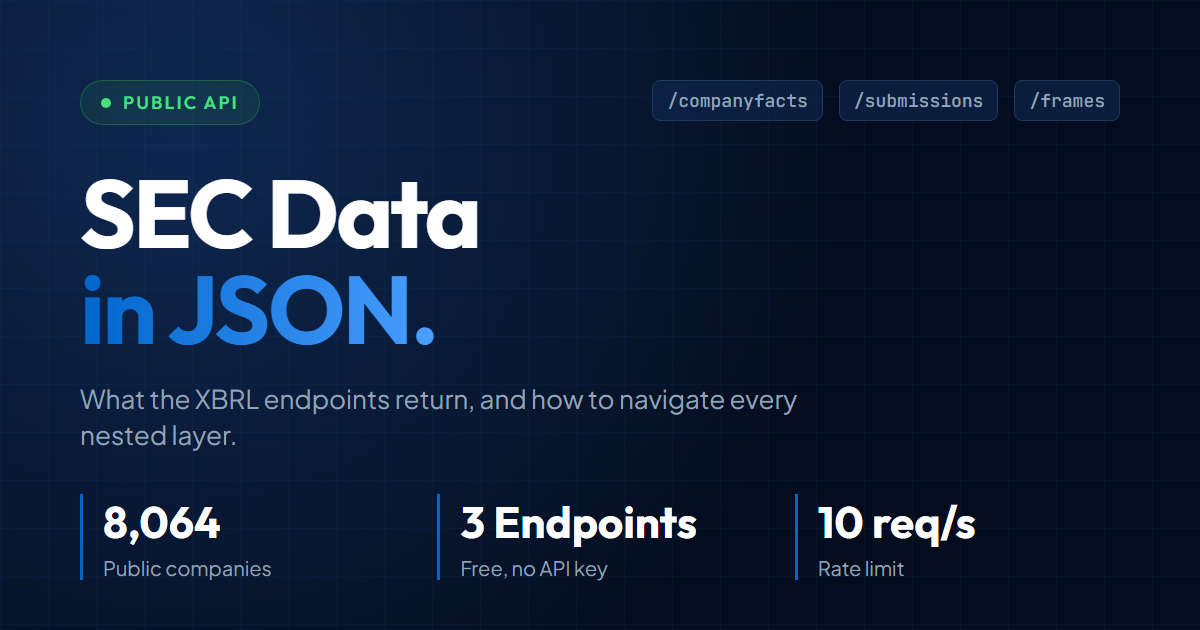
The dei namespace contains entity metadata (CIK, ticker, fiscal year end, shares outstanding); us-gaap contains the financial facts. That is the top of a multi-megabyte file (Apple's is around 15-20 MB uncompressed, roughly 3-4 MB gzipped; Microsoft's is comparable). The SEC data JSON format is fully documented and freely available for every US public company, but the shape surprises most developers the first time they open it. This post walks through the structure of the SEC XBRL JSON endpoints, how to filter facts by form and period, and what a minimal parsing pipeline looks like in Python.
For context on why the tagging varies across companies, the XBRL data guide covers that problem in depth. For a higher-level comparison of direct parsing against alternatives, how to get SEC filing data lays out the three methods side by side. This post stays inside the JSON.
What the SEC Data JSON Endpoints Actually Return
- Company Facts
- Every XBRL-tagged fact a single company has filed, nested by taxonomy, tag, and unit. The workhorse for fundamentals work.
- Submissions
- Company metadata and a list of recent filings. Flatter shape using parallel arrays for filing form, date, and accession number.
- Frames
- Cross-company snapshot of one XBRL tag for one calendar period. Useful for cross-sectional queries, not single-company history.
- YTD Gotcha
- A 10-Q flow fact may be standalone or cumulative. Classify it from its start and end dates, subtract only cumulative Q2/Q3 facts, and derive Q4 additive flows from the annual filing.
The SEC exposes three public JSON endpoints for XBRL fundamentals work. None require an API key. All require a descriptive User-Agent header or they return 403.
| Endpoint | Path | Returns |
|---|---|---|
| Submissions | data.sec.gov/submissions/CIK##########.json | Company metadata, recent filings list, SIC code, addresses |
| Company Facts | data.sec.gov/api/xbrl/companyfacts/CIK##########.json | Every XBRL-tagged fact the company has ever filed |
| Frames | data.sec.gov/api/xbrl/frames/us-gaap/<TAG>/<UNIT>/CY####Q#[I].json | Cross-company snapshot of one tag for one period (append I for instantaneous/balance-sheet) |
The CIK is always zero-padded to 10 digits in the URL path. Apple's CIK is 320193, the endpoint is CIK0000320193. Using CIK320193 returns a 404. The padding is one of the first trip-ups for anyone hitting the API fresh.
Company Facts is the workhorse for fundamentals. Submissions tells you what a company has filed and when. Frames is useful for cross-sectional queries like "every company's total assets at Q4 2024" but is not where most analysts start. For filing lists, accession numbers, and primary document URLs, use the focused data.sec.gov/submissions JSON guide.
Anatomy of a Company Facts JSON
Company Facts is deeply nested. The path from the root document to a single revenue number passes through five levels: facts, taxonomy, tag, units, and the fact array.
root
└── facts
    └── us-gaap                       (taxonomy)
        └── Revenues                  (concept/tag)
            ├── label
            ├── description
            └── units
                └── USD               (unit)
                    └── [ {...}, {...}, ... ]   (fact objects)
Each fact object in the array looks like this:
{
  "start": "2023-10-01",
  "end": "2023-12-30",
  "val": 119575000000,
  "accn": "0000320193-24-000006",
  "fy": 2024,
  "fp": "Q1",
  "form": "10-Q",
  "filed": "2024-02-02"
}
This is Apple's actual Q1 FY2024 revenue from its 10-Q, pulled from the RevenueFromContractWithCustomerExcludingAssessedTax tag. Some facts additionally carry a frame field (for example "frame": "CY2023Q4"); it only appears when the reporting window lines up cleanly with a calendar quarter or year.
A few fields deserve attention:
startandenddefine the reporting window. Income and cash flow items have both. Balance sheet items have onlyend(they are point-in-time).valis always a number, never a string. Monetary values are in the unit specified one level up (USD here).accnis the accession number of the filing that reported the fact.fyandfpidentify the filing that reported the fact (fiscal year and fiscal period of the parent filing), not necessarily the period the fact itself covers.fpvalues areQ1,Q2,Q3, orFY. Apple'sfp=Q1corresponds to the October-December quarter because its fiscal year ends in September. The same period's value can appear with multiplefy/fpcombinations when later filings include it as comparative data.formis the filing type:10-K,10-Q,10-K/A(amended),20-Ffor foreign private issuers.frameis a calendar-year label used by the Frames endpoint. Not every fact has one; it only appears when the reporting window aligns cleanly with a calendar quarter or calendar year.
A single company will have hundreds of tags under us-gaap, plus a small dei (Document and Entity Information) block with metadata like EntityCommonStockSharesOutstanding. One useful property of the Company Facts endpoint: it exposes only standardized taxonomies (us-gaap and dei), not the company-specific extension tags that also exist in the raw XBRL instance document. Those custom tags, which are not comparable across companies, are filtered out of this view by design.
Unit Objects: USD, shares, and USD-per-shares
The units wrapper exists because XBRL facts are strongly typed by unit. The same concept can appear in multiple units, which affects every filter you write on the downstream pipeline.
Revenue is always USD for US filers. Diluted EPS appears under USD/shares (the SEC writes this as USD-per-shares in some documentation). Share counts appear under shares.
"EarningsPerShareDiluted": {
  "units": {
    "USD/shares": [ { "val": 2.18, "end": "2023-12-30", ... } ]
  }
}
Two practical rules:
- When aggregating monetary fields, filter to
USDonly. If a foreign filer reports in CAD or EUR, those facts live in their own unit key and should not be added to USD totals without conversion. - Share counts and EPS use different unit keys than dollar values. A pipeline that only looks at
USDwill silently skip EPS and shares outstanding.
Filtering Facts by Form, Period, and Fiscal Period
A fact array can easily contain 50+ entries for a mature company. Some are restated values from amendments, some are quarterly comparatives buried inside annual filings, some are duplicated across multiple 10-Ks. Picking the right one for a given period requires filtering on form, duration, and filed date.
For annual data, filter by form == "10-K" and a duration between start and end of roughly a year. Then dedupe by the end date (the period the fact describes), keeping the latest filed version so restated comparatives in newer 10-Ks override the originally reported number. A tempting shortcut is to filter on fp == "FY" and dedupe by fy, but both fields in a fact refer to the filing that reported it, not the period the fact covers. That shortcut silently collapses comparative years.
For quarterly data, filter Q1 through Q3 facts by form == "10-Q", then classify each flow fact by its start and end dates. A roughly one-quarter duration is standalone and can be used as reported. A longer Q2 or Q3 fact that starts at the fiscal-year boundary is cumulative, so derive the standalone quarter by subtracting the prior YTD value. Q1's fiscal-year-to-date duration is also its standalone quarter. There is no Q4 10-Q; derive additive Q4 flows as FY minus the normalized Q1, Q2, and Q3 values. Point-in-time stock facts use the period-end value and are never subtracted.
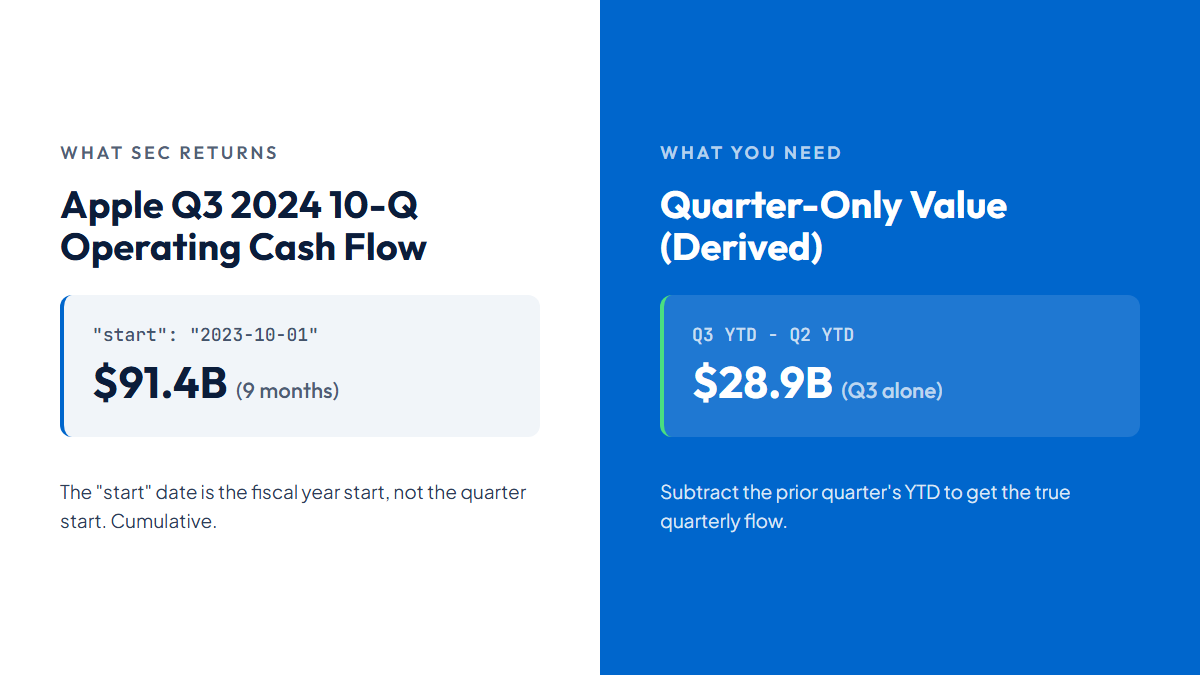
A non-obvious gotcha: duration varies by concept and filing. Some 10-Q flow facts are standalone quarters; others are cumulative YTD. Apple's Q3 FY2024 operating cash flow fact is cumulative for the first nine months: $91.4 billion from the fiscal-year start. Subtracting its $62.6 billion Q2 YTD value gives $28.9 billion for Q3 alone. The JSON does not label a fact "YTD" or "standalone" directly; infer it from start, end, and the resulting duration. Treating every Q2/Q3 flow fact the same is a major source of silent errors.
(Fundamentals Hub handles per-field duration classification, priority-preserving revenue scope checks, cumulative-flow subtraction, and Q4 derivation automatically. A revenue override needs one of two scope proofs: (1) an exact-zero priority FY with another positive full-year candidate (negative revenue is not zero); or (2) only when the nonnegative priority does not reconcile, a reconciling alternative whose Q1-Q3 subtotal exceeds the priority FY. Otherwise priority remains. Its TTM flow values use four consecutive standalone quarters, while stock values use the latest period end.)
The Two Other JSON Endpoints
The Submissions and Frames endpoints solve different problems than Company Facts. Submissions gives you a company's filing history. Frames gives you one tag across all filers for one period.
Submissions returns a document that is flatter than Company Facts. The useful section is filings.recent, which holds parallel arrays: one array for form types, one for accession numbers, one for filing dates, and so on. You read them by index:
filings = submissions["filings"]["recent"]
for i, form in enumerate(filings["form"]):
    if form == "10-K":
        print(filings["filingDate"][i], filings["accessionNumber"][i])
This parallel-array shape is unusual but intentional, it compresses well for bulk delivery via submissions.zip.
The Frames endpoint takes a single tag and returns one calendar period across all filers:
# Flow (income statement, cash flow): use the quarterly suffix
/api/xbrl/frames/us-gaap/Revenues/USD/CY2023Q4.json

# Instantaneous (balance sheet): append I
/api/xbrl/frames/us-gaap/Assets/USD/CY2023Q4I.json
The I suffix means "instantaneous". Balance-sheet tags (Assets, Liabilities, StockholdersEquity) require it because they are point-in-time values. Flow tags like Revenues use the non-I variant for standard quarterly or annual duration data. The safe pattern is CY####Q# (quarter) or CY####Q#I (instant). Some flow concepts also accept a plain CY####.json for the full calendar year, but support for that form is uneven; sticking to the quarterly suffix is more reliable. Using a wrong or unsupported suffix returns a 404. The successful response is an object with a data array of {cik, entityName, val, accn, start, end, ...} objects. Useful for cross-sectional queries. Less useful when you need a single company's history, because you would need one request per period.
A Minimal JSON-to-Row Pipeline
Here is a complete pipeline that pulls annual FY facts for a single XBRL tag, deduplicates restatements by period end, and sorts them chronologically. Under thirty lines of Python.
import requests
import time
from datetime import date

HEADERS = {"User-Agent": "YourApp your@email.com"}

def annual_values(cik: int, tag: str, unit: str = "USD"):
    cik_padded = str(cik).zfill(10)
    url = f"https://data.sec.gov/api/xbrl/companyfacts/CIK{cik_padded}.json"
    response = requests.get(url, headers=HEADERS)
    response.raise_for_status()
    facts = response.json()
    time.sleep(0.1)  # stay under SEC's 10 req/sec cap

    entries = facts["facts"]["us-gaap"][tag]["units"][unit]

    # Annual facts: 10-K form, duration roughly one year.
    # Don't rely on fp == "FY" alone - 10-Ks also carry quarterly
    # comparatives that inherit fp = FY from the filing.
    def is_annual(e):
        start = date.fromisoformat(e["start"])
        end = date.fromisoformat(e["end"])
        return e.get("form") == "10-K" and (end - start).days > 350
    annual = [e for e in entries if is_annual(e)]

    # Dedupe by period end date, keeping the latest filed restatement.
    # Grouping by fy would collapse comparative years within a single filing.
    latest_by_end = {}
    for e in annual:
        end = e["end"]
        if end not in latest_by_end or e["filed"] > latest_by_end[end]["filed"]:
            latest_by_end[end] = e

    return sorted(latest_by_end.values(), key=lambda e: e["end"])

for row in annual_values(320193, "RevenueFromContractWithCustomerExcludingAssessedTax"):
    print(row["end"], row["val"])
Run this and it returns several fiscal years of Apple revenue under the new tag. 10-Ks filed under ASC 606 typically retag the prior 1-2 years' comparatives, but rarely older periods. To pull a long history, you may need to query both old and new tags. A pipeline starting from a different tag name sees less, for example calling with SalesRevenueNet stops at FY2018. Two subtleties are worth calling out in the filter logic above. First, the fp field alone is not sufficient for "annual" because 10-K filings also carry quarterly comparative facts that inherit fp = FY from the parent filing; a duration check on start and end catches these. Second, dedupe needs to key off end (the period the fact describes), not fy (the fiscal year of the filing that reported it); otherwise comparative years collapse into a single row. Production code layers full-year duration filtering, tag mapping, priority-preserving revenue scope checks (exact-zero vs positive full-year candidates, or coherent Q1-Q3 proof only for a nonnegative, non-reconciling priority), unit filtering, duration-aware quarter normalization, Q4 derivation, and ETag caching on top of this skeleton.
Common JSON Parsing Pitfalls
Five issues trip up most first-time implementations. Each is fixable, but all five need handling before a pipeline is reliable across filers.
- Duplicate facts for the same period. A 10-K and a later 10-K/A amendment both appear in the array, as do the same-period facts re-reported in subsequent years' comparative sections. Always dedupe by
enddate, keeping the fact with the latestfiledvalue. - Tag switching mid-history. Apple reported revenue under
SalesRevenueNetthrough FY2018, then adoptedRevenueFromContractWithCustomerExcludingAssessedTaxfrom Q1 FY2019 onward following ASC 606. A pipeline that only reads one tag silently drops years of data. - Cumulative vs standalone flow facts. Compare
startandendbefore subtracting. Use quarter-duration Q2/Q3 facts as reported, subtract only cumulative facts, and derive Q4 additive flows from FY. - Tag coverage varies by sector. Tech filers lean heavily on
us-gaapstandard tags. Financial firms, REITs, and utilities use sector-specific tags that are not in the common fallback lists. A pipeline tested only on large-cap tech will surface null values when pointed at a bank or a pipeline operator. - Missing
fpfields. Older filings sometimes lackfp. Fall back to inferring annual vs quarterly from the duration betweenstartandend(roughly 365 days vs 90 days).
When Parsing the JSON Yourself Stops Being Worth It
For a single company or a small set, writing the parser is a reasonable weekend project. The tag mapping and scope-proof reconciliation, duration-aware quarter normalization, Q4 derivation, and restatement picking are all doable. The ROI changes when coverage matters.
Three rough thresholds where teams usually switch to a standardized API:
- More than ~50 companies in active use. The tag coverage tail gets long. Utilities, REITs, and financials use different tag mixes than tech companies.
- Live production workloads. SEC endpoints work but have no SLA. Caching, retry, and ETag logic becomes your responsibility.
- Historical depth below 2009. XBRL coverage is sparse before mandated filing. Pre-2009 data requires older filing formats.
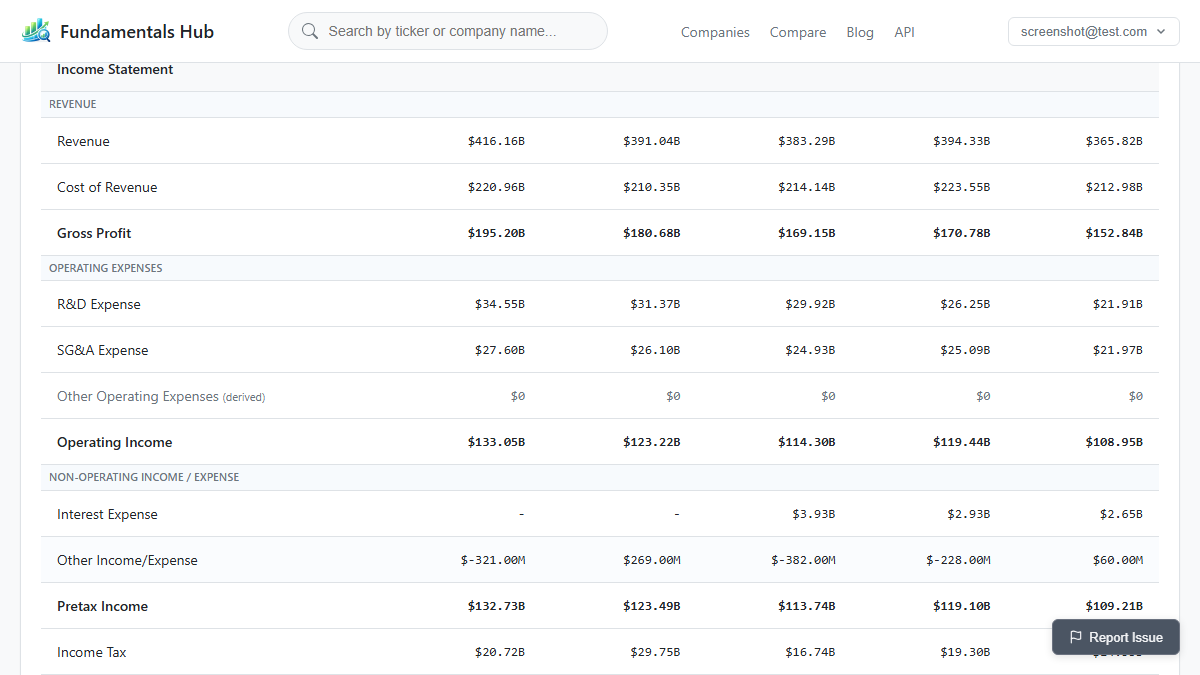
If you are still parsing SEC JSON by hand for production fundamentals, Fundamentals Hub returns the same source data pre-normalized. You can try the free tier here.